
メインコンテンツへスキップ
AraiAuctions
New Here Members
New Here Members
Login
Company FAQ
言語設定
EN
日本語 English
YouTube Facebook

AI-NET Mobile

Log in from your smartphone

App Storeからダウンロード Google Playで手に入れよう
  • NEWS
  • Auctions
    Auctions CONST. MACHINERY / AGRI. MACHINERY / FORKLIFT / PARTS 4W BAYSIDE / 4W SENDAI VAN & TRUCK / 4W OYAMA / PARTS
    Auctions
    CONST. MACHINERY /
    AGRI. MACHINERY /
    FORKLIFT / PARTS
    4W BAYSIDE /
    4W SENDAI
    VAN & TRUCK /
    4W OYAMA / PARTS
  • ARAI Locations
    ARAI Locations Sendai(Tohoku/Miyagi) Oyama(Kanto/Tochigi) Machinery(Kanto/Tochigi) Bayside(Kanto/Kanagawa) Nagoya(Chubu/Aichi) Fukuoka(Kyushu/Fukuoka) Kansai(Kansai/Osaka)
    ARAI Locations

    Tohoku

    Sendai
    Miyagi Sendai

    Kanto

    Oyama
    Tochigi Oyama Machinery
    Bayside
    Kanagawa Bayside

    Chubu

    Nagoya
    Aichi Nagoya

    Kansai

    Kansai
    Osaka Kansai

    Kyushu

    Fukuoka
    Fukuoka Fukuoka
  • Schedules
  • AI-NET
    About AI-NET AI-NET Plan Information AI-NET PLUS AI-NET Tenpo Zaiko Service AI-NET Service Application
    About AI-NET
    AI-NET Plan Information AI-NET PLUS AI-NET Tenpo Zaiko Service AI-NET Service Application
Login

AI-NET Real Ver. 6.0 Introducing the New AI-NET Real

  • TOP
  • Notice
  • 【Introducing AI-NET Real Ver. 6.0】Launching November 30, 2026
AI-NET
2026-11-16

【Introducing AI-NET Real Ver. 6.0】Launching November 30, 2026


  • Japanese
  • English
top-banner-1


Contents

  • What's New
  • Before & After
  • Ver. 5.5 vs. Ver. 6.0 Comparison
  • Features
  • Tips (Browser Translation)
  • User Guide
  • FAQ
  • Contact Us

What's New


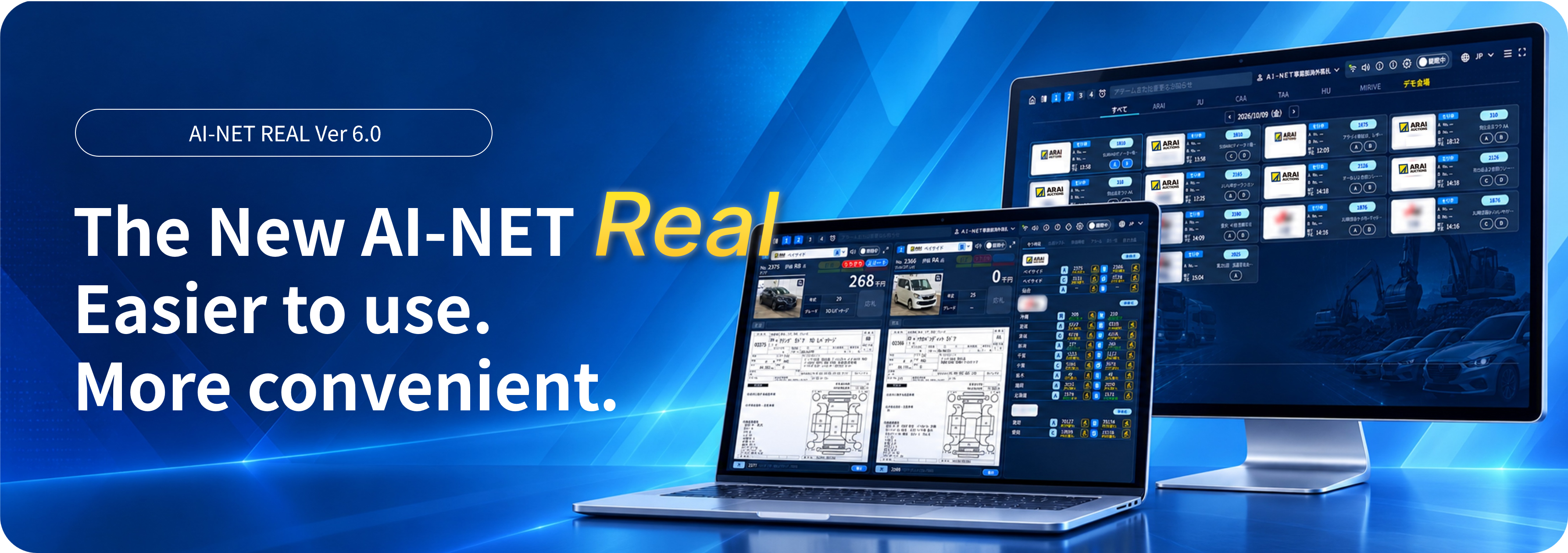
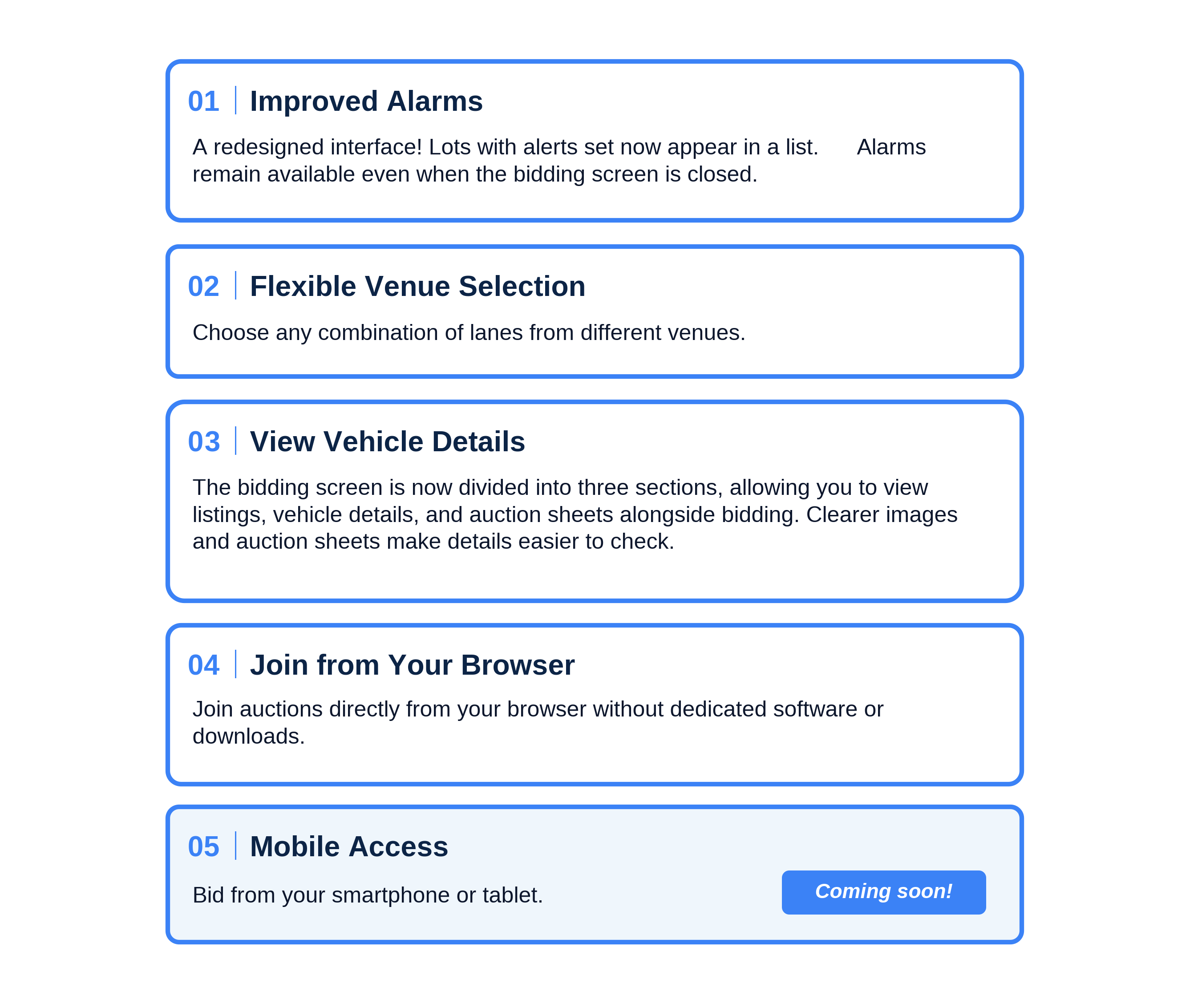
With the new AI-NET REAL, you can join auctions directly from your browser, view up to four venues at once, and choose your preferred combination of venues and lanes. Improved alerts also make participation easier.

whatsnew-en-1

Before & After


 Compare the previous AI-NET REAL (Ver. 5.5) with the new browser version (Ver. 6.0). 


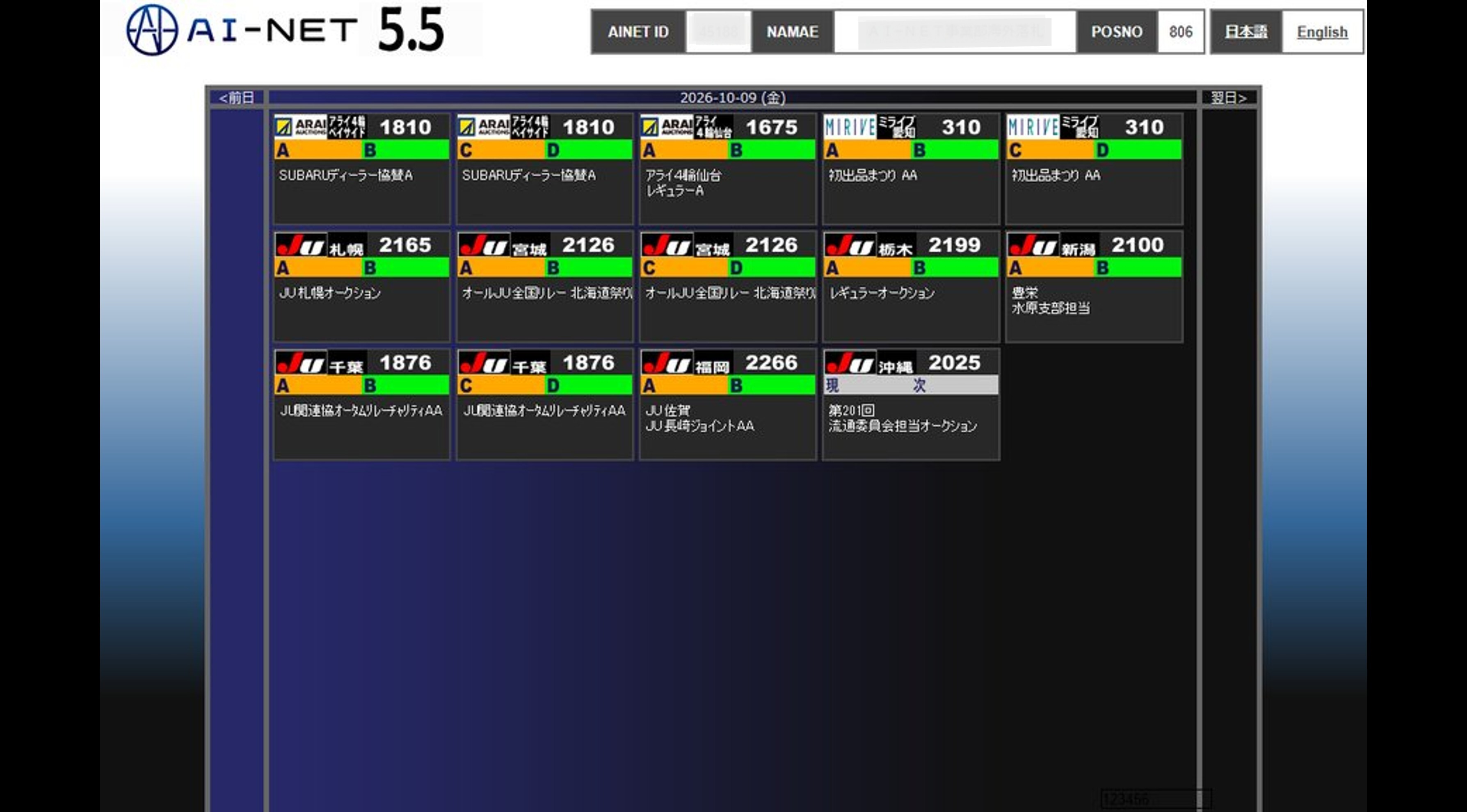
BeforeVer. 5.5|Venue Selection

 You can only select preset lane pairs, such as A/B or C/D, within a single venue. 
before-venue

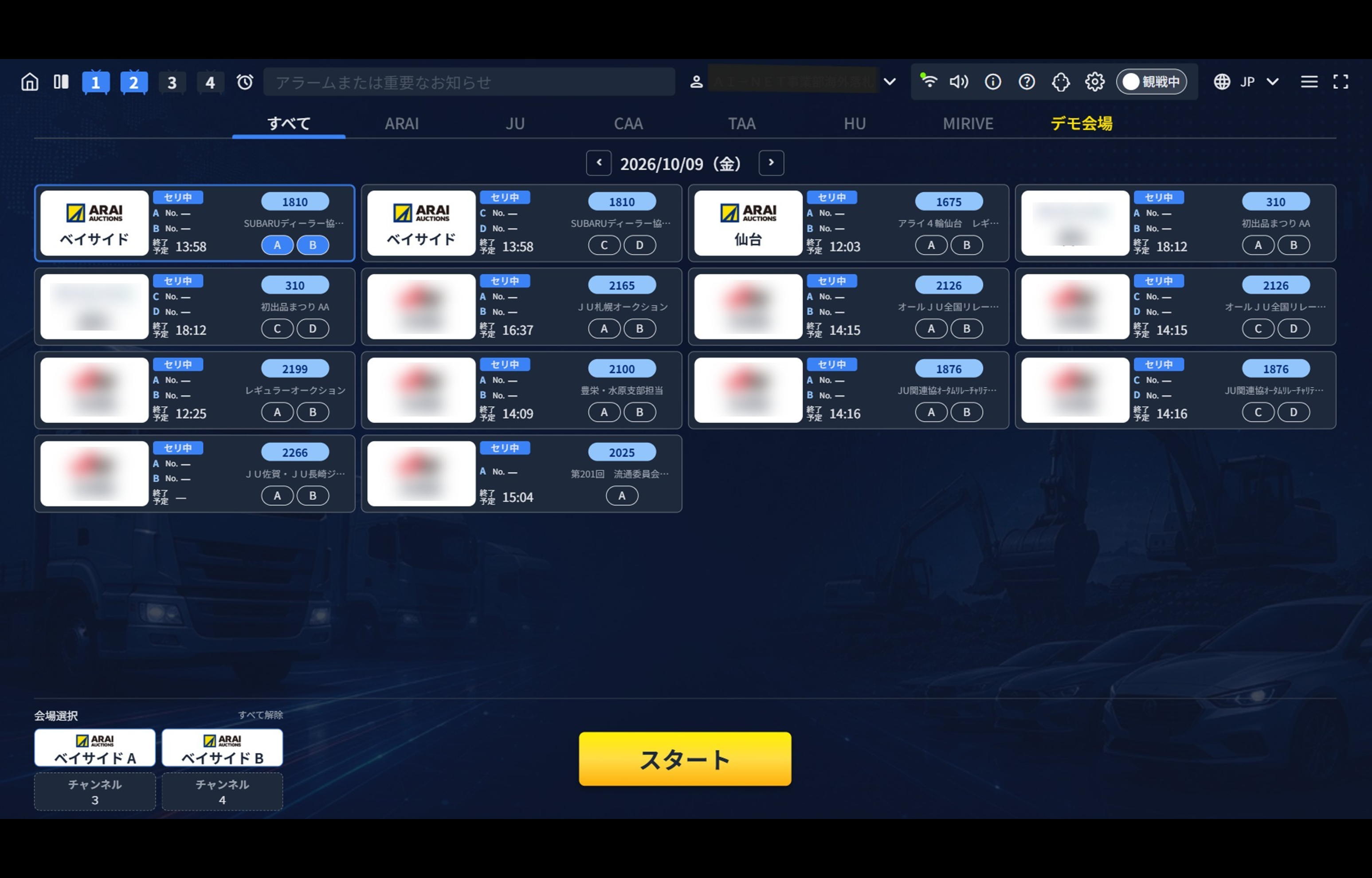
AfterVer. 6.0|Venue Selection

 You can select up to four lanes across four venues and freely combine lanes, such as A/D or B/C. 
6.0 venue

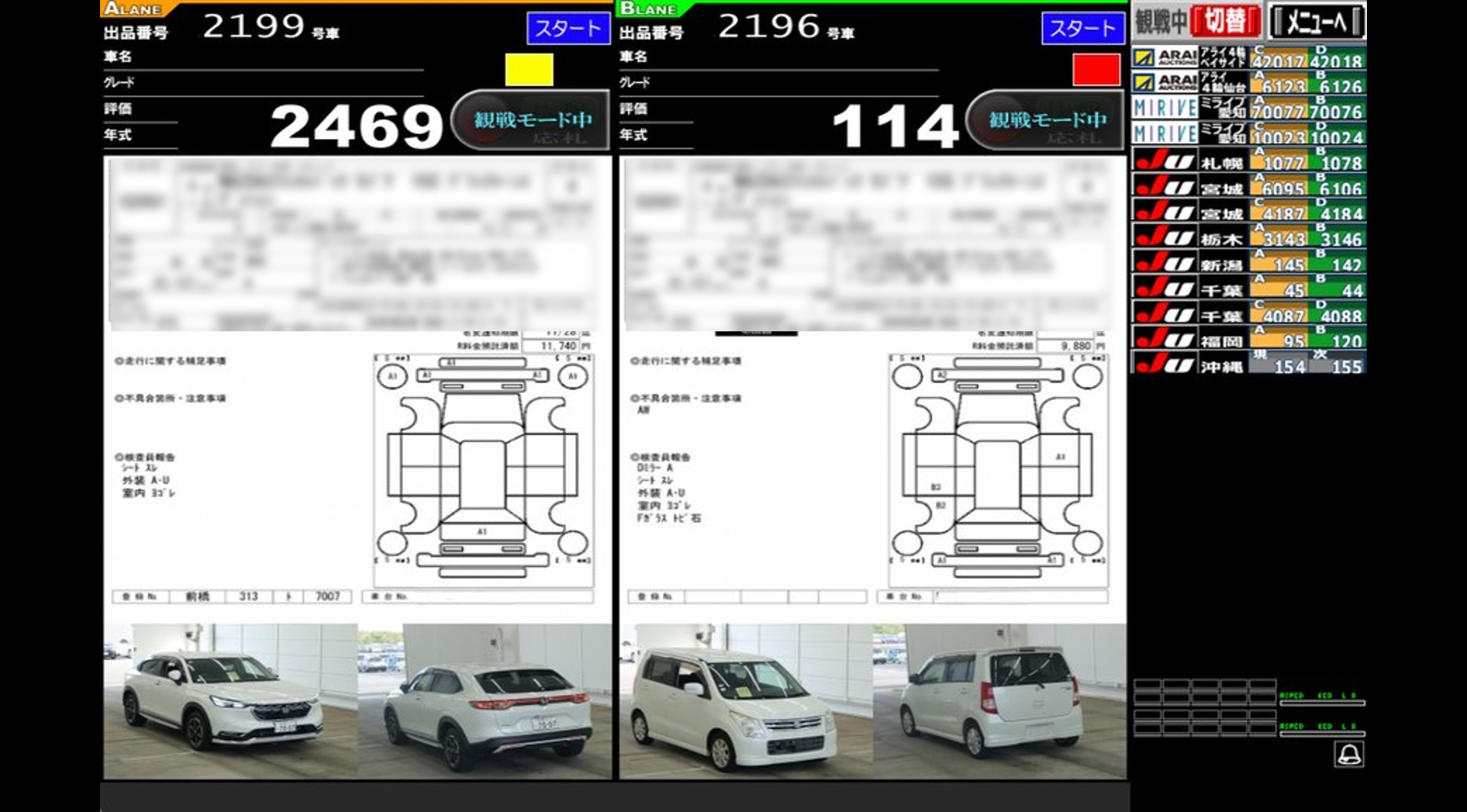
BeforeVer. 5.5|Bidding Screen

Both front and rear photos are displayed, with auction sheets shown at a resolution of 280 × 280 px.


Auction progress is shown for multiple venues. Alerts only sound for the venues and lanes you are currently participating in.
before-auction

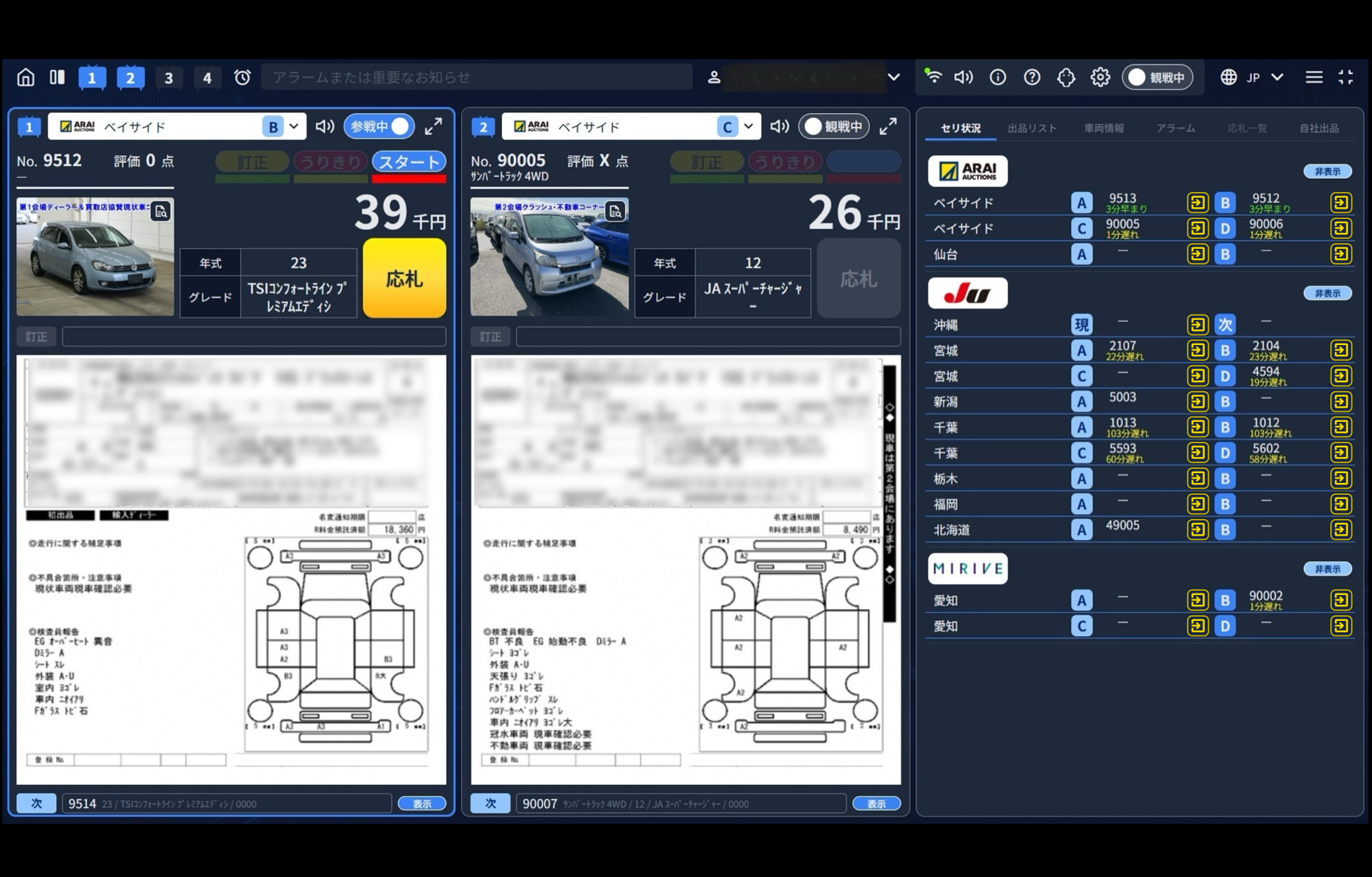
AfterVer. 6.0|Bidding Screen

The front photo is displayed by default. Click the magnifying glass icon to view enlarged front and rear photos and a higher-resolution auction sheet in the right-hand side panel.


You can show or hide auction progress for each venue and check estimated start times, including how many minutes ahead of or behind schedule the auction is running. Improved alerts also sound even when you are viewing another venue.
6.0 bid

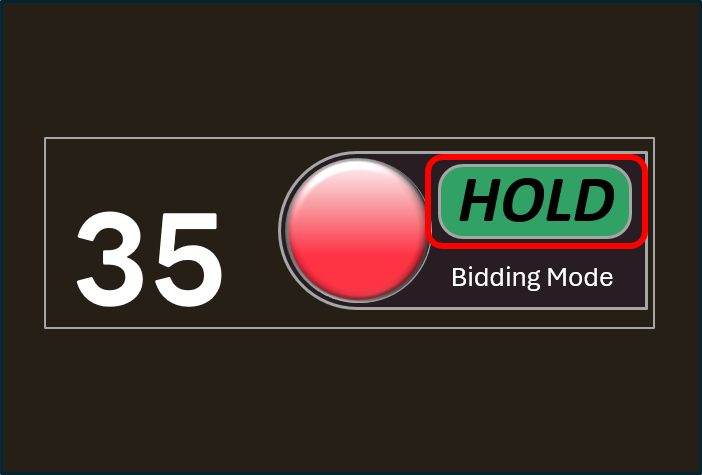
BeforeVer 5.5|Highest Bid Indicator

 When you hold the highest bid, a green "HOLD" indicator lights up next to the bid button. 
hold

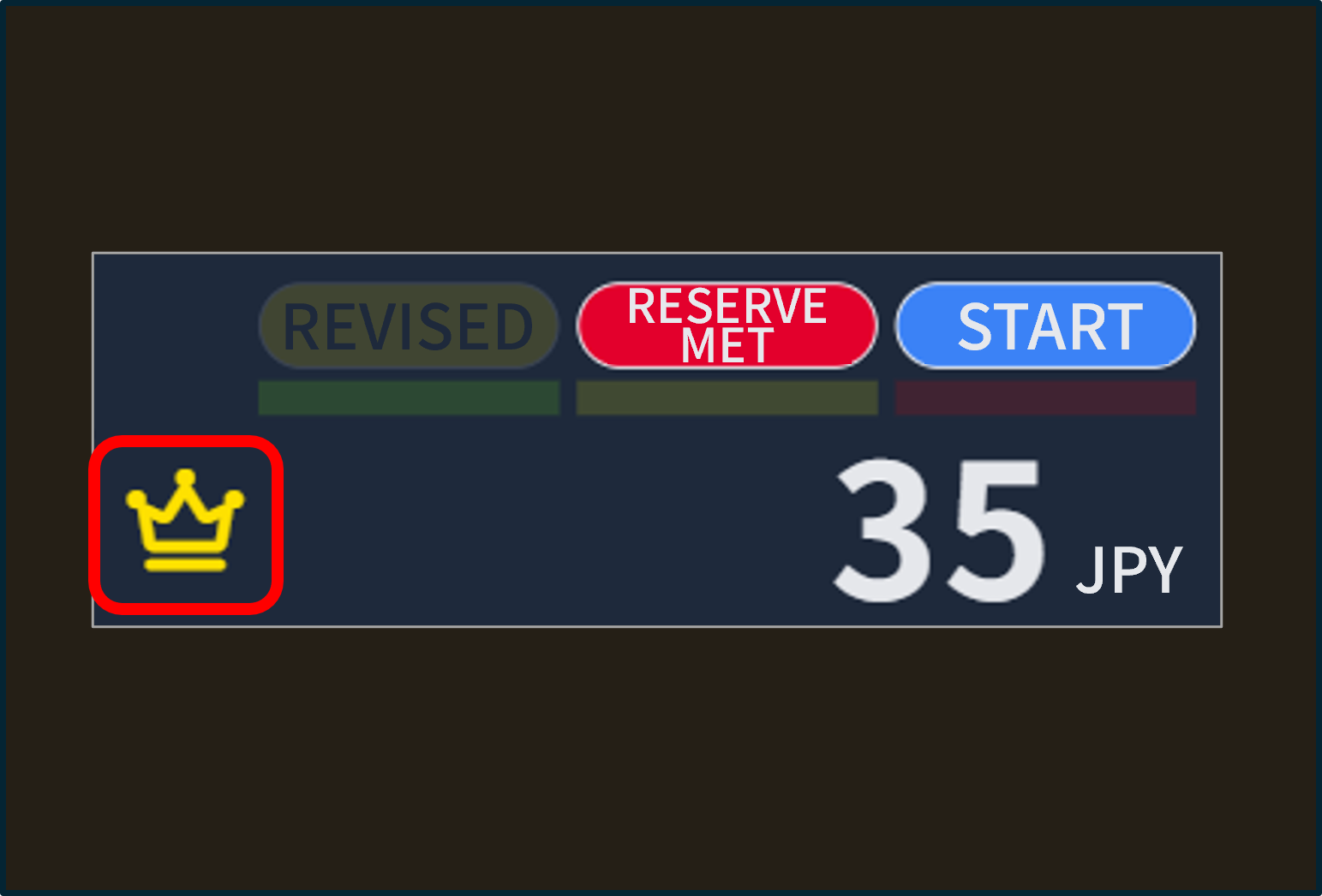
AfterVer 6.0|Highest Bid Indicator

 When you hold the highest bid, a yellow "Crown" icon appears before your bid amount. 
highestbid

Ver. 5.5 vs. Ver. 6.0 | Comparison


AI-NET REAL Ver. 5.5  AI-NET REAL Ver. 6.0
Software installation required No software installation required
Windows only Windows and Mac
(Google Chrome recommended)
Up to 2 lanes at once
(Fixed lane layout)
Up to 4 lanes at once
(Choose a 1-, 2-, or 4-lane layout)
For lanes outside your current view:
Alarms unavailable
For lanes outside your current view:
Alarms supported
Auction listings and vehicle details unavailable View auction listings and vehicle details
 

A Smooth Transition to the New Version

After the release of AI-NET REAL Ver. 6.0, the previous version (Ver. 5.5) will remain available for a transition period. You can continue participating in live auctions using the familiar version while getting used to the new interface.


Ver. 6.0 will eventually replace Ver. 5.5. The transition timeline and online session schedule will be announced once confirmed.

new-old ver

Features

01 View Multiple Auctions

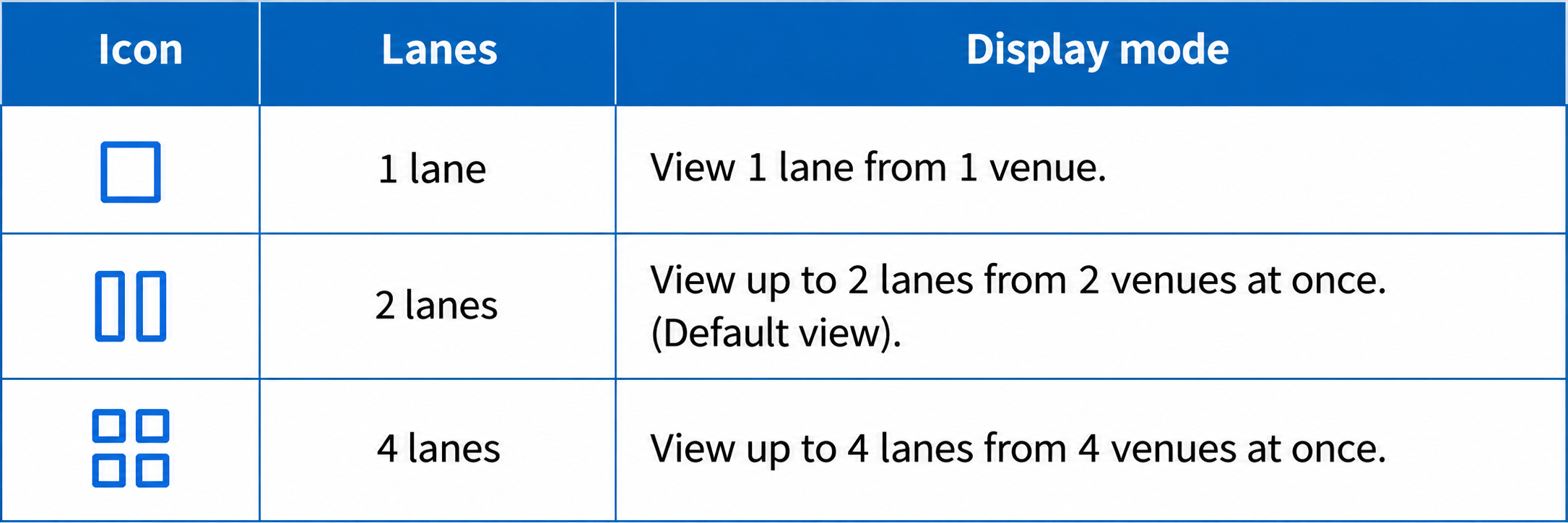
 Use the layout icon at the top left to switch between one, two, or four auction views. 

Venue lane display modes

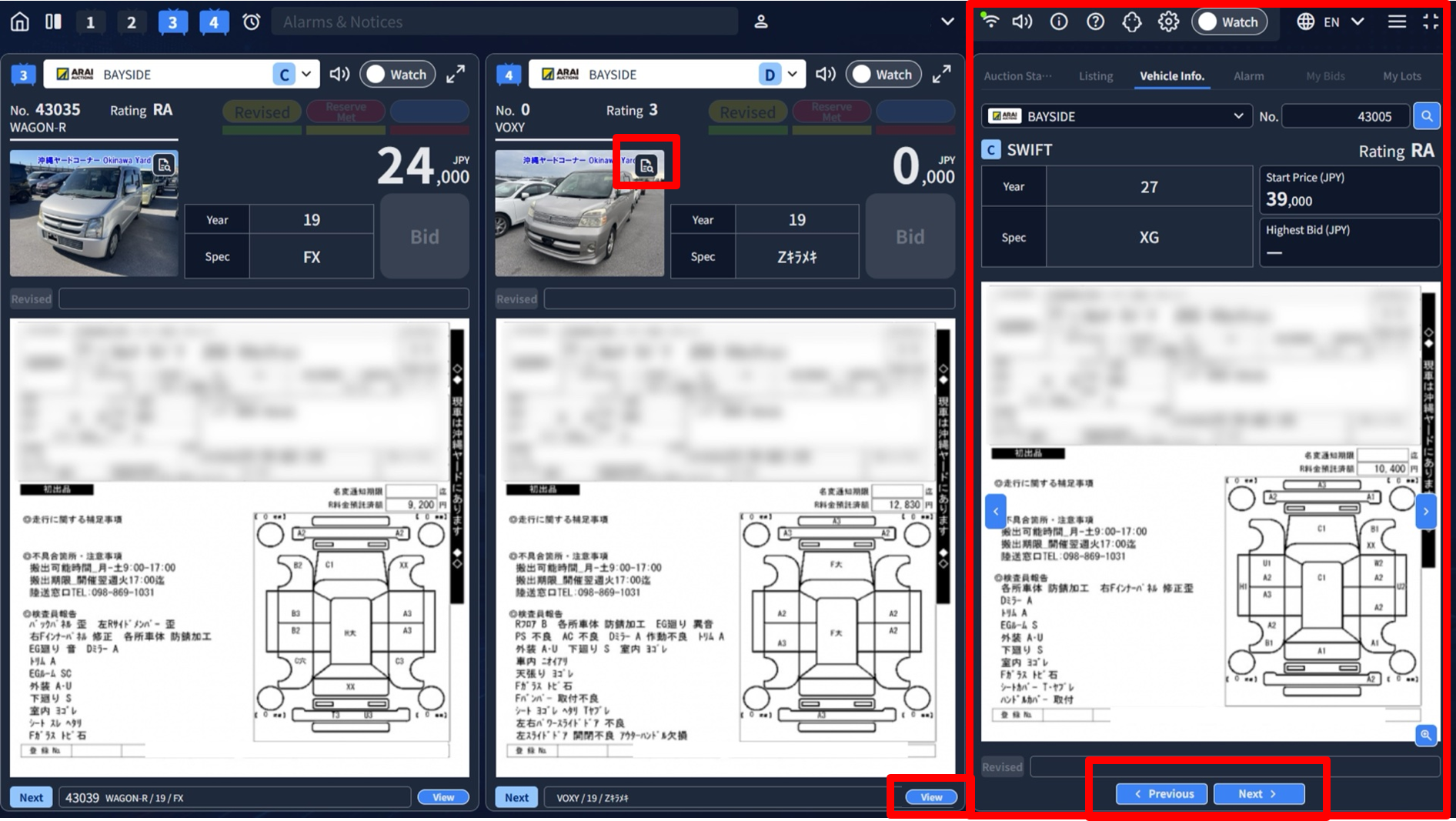
02 View Vehicle Details

  • Click “View” at the bottom of the screen to open vehicle details on the right.
  • Select a venue, then enter a lot number to find a vehicle.
  • Use “< Previous” and “Next >” to move between lots.
 
vehicleinfo-en

03 Side Panel

 The right-hand panels provide auction status, auction lists, vehicle details, alerts, and your own listings. 

 
auction status00-2

Auction Status
Check the progress of each venue and lane.

auction list00 (2)
Auction List
View lot numbers, lanes, vehicle names, and starting prices.
vehicle info00-1
 Vehicle Details
Enlarge inspection sheets and vehicle photos.
alarm panel00-2
Alarms
Add alarms and check your saved lots.
my listing00

My Listings
View the lots listed by your company.

auction status00-2
auction list00 (2)
vehicle info00-1
alarm panel00-2
my listing00

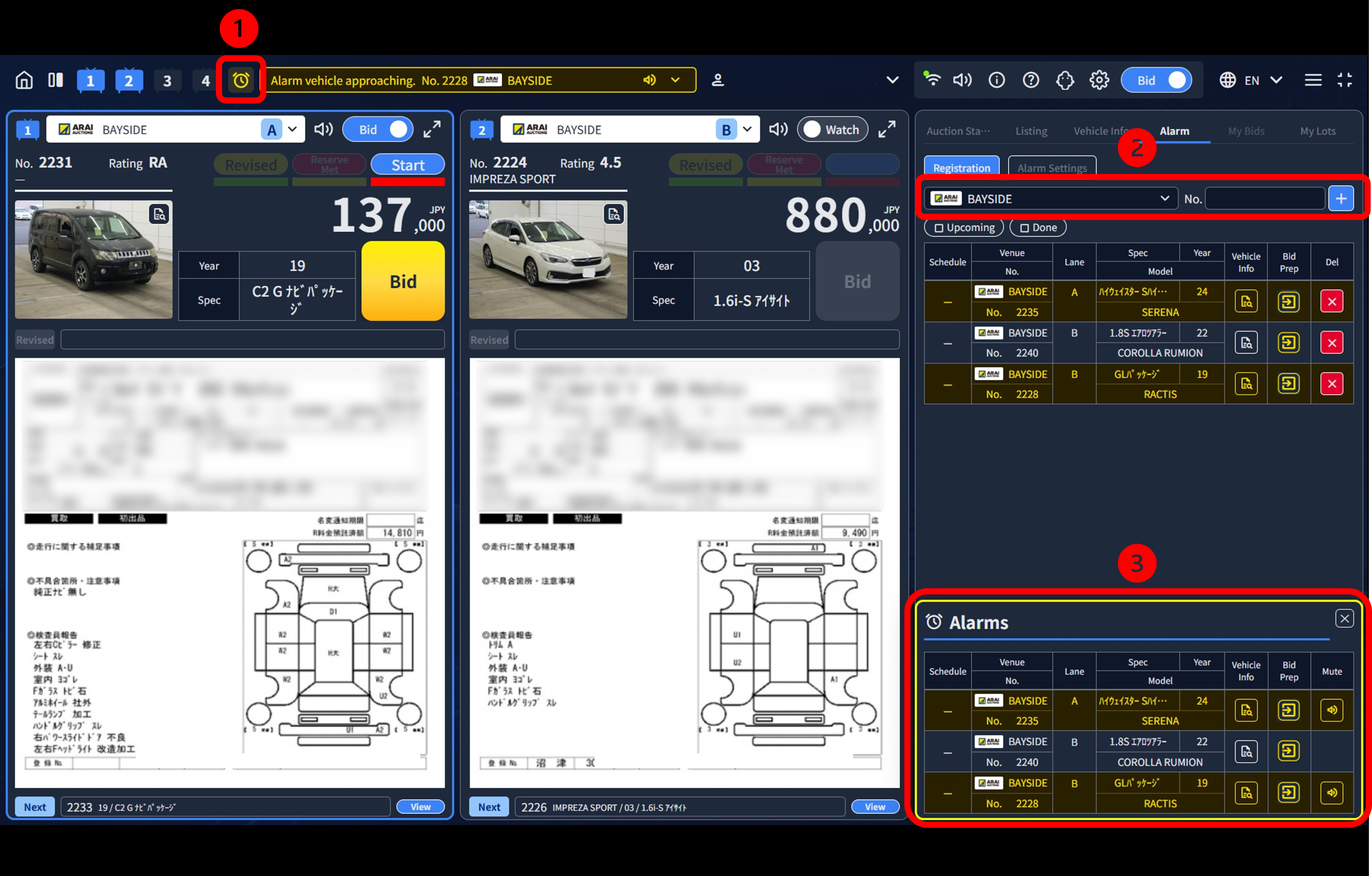
04 Auction Alarms

① Click the icon at the top to open the alarm registration screen.
② Enter the lot number and click the button to add an alarm.
③ The selected lot appears when its auction approaches.
alarm panel-en

Tips (Browser Translation)


Read page text in your preferred language with browser translation.

Use Your Browser’s Translation Feature

Use browser translation to read instructions and text-based vehicle details in your preferred language.


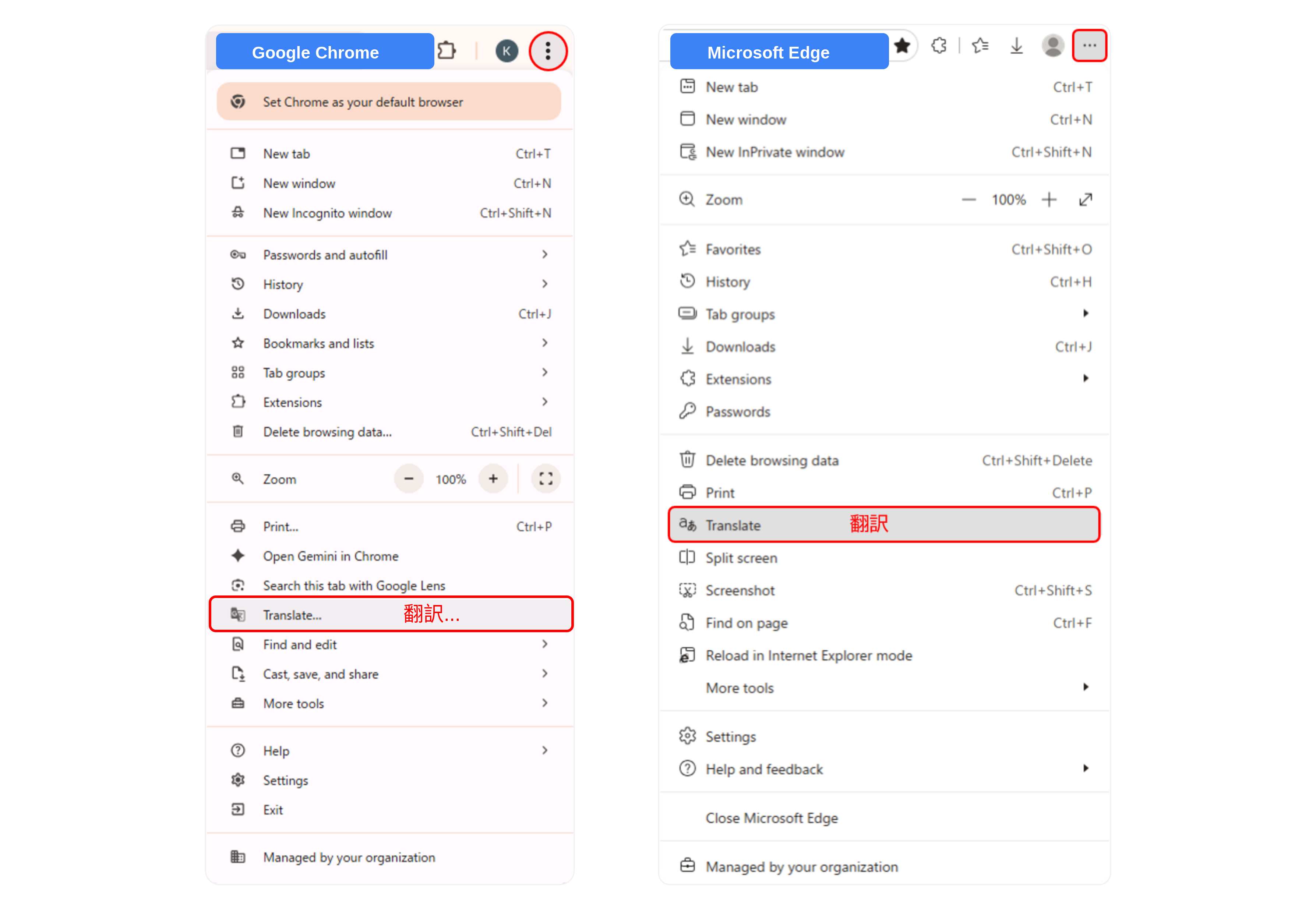
 1)Open page translation from your browser menu or the translation icon near the address bar.
 2)Choose your language.
 3)Switch back to the original text when you need to check the meaning.


Note:

*Steps vary by browser. In Google Chrome, you can also right-click the page and select the translation option.

*Page translation works on text only.It does not translate text inside images, such as inspection sheets or photos.

*Automatic translations may change the meaning, so check the original wording for prices, conditions, and important notices.

translate


User Guide

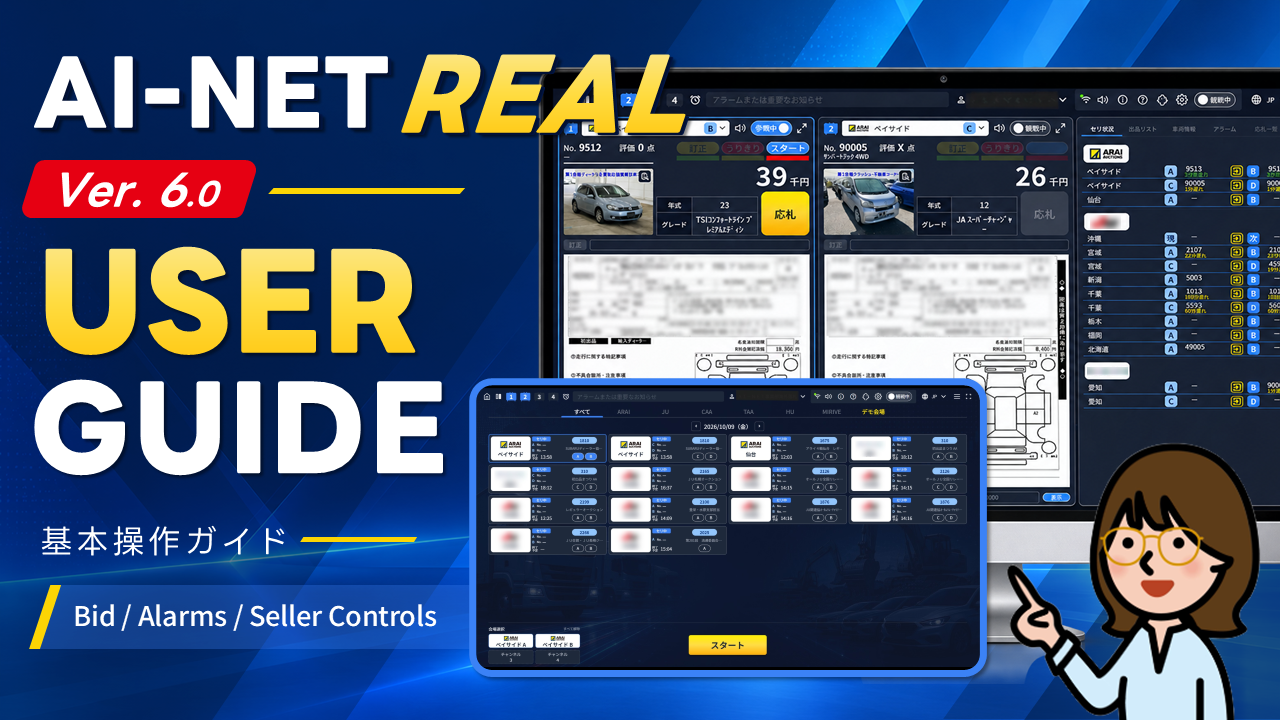
real6.0_manual
View the User Guide for Full Instructions
real 6.0 user guide Thumbnail
AI-NET Real Ver.6.0 | Video User Guide (Multilingual Subtitles)

FAQ

A.

No. You can use AI-NET REAL directly in your web browser. 

A.

 Not yet. Please use a computer to join live auctions. We will announce mobile support separately. 

A.

You can view up to four auctions or lanes at once. Choose a one-, two-, or four-view layout. 

A.

 No. The same account cannot be used in more than one session at a time.
If you see an “Already logged in” message, log out on the other device or tab, then log in again. 

A.

 Add the auction to a channel and switch from watching to bidding mode.
You cannot bid in an auction that has not been added to a channel, or on your company’s own lots. 

A.

 Yes. Save an alert for the lot to receive on-screen and sound notifications. Alerts also work for lanes outside your current view.
Use Alert Settings to adjust the timing and turn alert sounds or pop-ups on or off. 

A.

Yes. Ver. 5.5 will remain available for a transition period, so you can continue using it while getting familiar with Ver. 6.0.

A.

We plan to fully transition to Ver. 6.0. The timing will be announced once confirmed.

Contact Us


 For questions about AI-NET, please contact our support team on LINE. 


Contact Us on LINE


TOP
Important News
News
Auctions
  • CONST. MACHINERY / AGRI. MACHINERY / FORKLIFT / PARTS
  • 4W BAYSIDE / 4W SENDAI
  • VAN & TRUCK / 4W OYAMA / PARTS
Auction Search
  • Search Venues/Yards by Products
  • Search Products by Venue/Yard
ARAI Locations
  • Sendai
  • Oyama
  • Machinery & Motorcycle
  • Bayside
  • Nagoya
  • Kansai
  • Fukuoka
Auction Search
  • Search Venues/Yards by Products
  • Search Products by Venue/Yard
Support Service
  • Slide Service
  • Proxy Inspection Service
Schedules & Events
About AI-NET
  • AI-NET Plan Information
  • AI-NET PLUS
  • AI-NET Tenpo Zaiko(Store Inventory) Service
  • AI-NET Service Application
Steps to Join
Application Form Download
Auction Rules
Corporate Information
  • President’s Message
  • Mission & Vision
  • Company
  • History
  • CSR & Sustainability
  • Auction & CI
  • SNS
  • Links
Privacy Policy
Disclosure Pursuant to the Secondhand Goods Business Act
Members-Only Inquiry
荒井商事 ARAI LOGISTICS ガナラ AraiMart